Product search using image: Powerful Shopper Guide
Discover how AI-powered product search using image technology transforms online shopping. Learn how visual search helps customers find products from photos, explore similar items, identify products faster, and enjoy a smarter, more seamless eCommerce shopping experience.
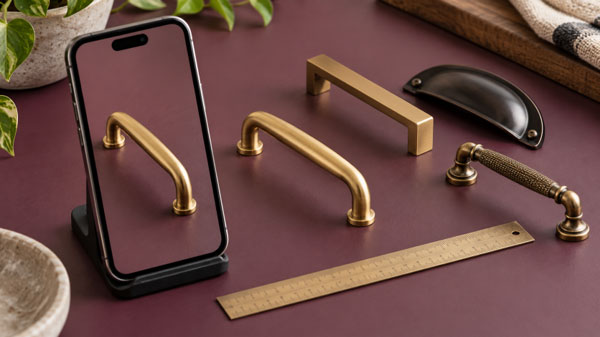
Product search using image can help when you know what an item looks like but cannot find the words to describe it. Perhaps you have a photograph of a cabinet handle, a saved outfit, or a lamp in a hotel room. A visual starting point can reveal useful candidates, but the first result is not proof that you have found the same product.
This guide focuses on the shopper's decisions before and after a photo search. It explains how to prepare an image, compare lookalikes, and confirm the details that affect a purchase. The examples are illustrative shopping situations, not claims about tests performed or results achieved by a particular service.
Product search using image is a way to find catalog items from a photograph or screenshot instead of a typed description. It compares visible features to suggest candidates. Shoppers still need to check identity, dimensions, materials, price, and availability before treating a visually similar result as a suitable purchase.
Table of Contents
- Set a clear goal for product search using image
- Choose a useful photo for image-based product search
- Use screenshots carefully in product search using image
- Compare photo search situations before choosing a method
- Read visual matches as candidates, not certificates
- Add words after product search using image
- Check measurements before buying a visual match
- Verify materials, colour and finish separately
- Understand what a store's photo search can find
- Make photo search usable when images are not enough
- Follow a practical image search checklist
- Work through a replacement-handle example
- Know when to stop and seek better evidence
- People Also Ask
- Expert Q&A
- Conclusion
Set a clear goal for product search using image
Begin by deciding what you want the search to accomplish. Finding the exact item, replacing a broken part, and discovering a similar style are different tasks. Each needs a different standard of evidence, even when all three begin with the same photograph.
For an exact item, look for a matching brand, model, or other reliable identifier. For a replacement, check the features that determine fit. For a style alternative, decide which visible qualities matter most. This may be a rounded shape, a woven texture, or a specific colour family.
For example, a curved brass handle might be attractive because of its finish. However, a replacement handle also needs the correct distance between screw holes. A photo can help narrow the field, while a measurement decides whether the candidate will work.
Write down the goal before opening results. Otherwise, an appealing alternative can distract you from a requirement that originally mattered. Product search using image works best when a clear shopping question guides the comparison.
Choose a useful photo for image-based product search
Prefer a photo in which the wanted object is easy to see. It should occupy enough of the frame to show its outline and important details. If the item is tiny in a wide room view, crop the image before searching, while preserving the edges that explain its shape.
Avoid a crop so tight that it removes useful context. The base of a lamp, the clasp of a bag, or the attachment points of a fitting can distinguish near-identical candidates. In contrast, a large background wall may contribute little to your shopping question.
Next, check sharpness and lighting. A blurred photo may hide a seam or surface pattern. Strong coloured lighting can also make a finish look different. When possible, take another picture in even light and compare the two views rather than heavily editing one.
Do not assume that an edited image becomes more accurate because it looks cleaner. Removing marks or changing colour may erase the feature needed to identify the item. Keep an unedited copy so you can return to the original evidence.
Use screenshots carefully in product search using image
Screenshots often include menus, price badges, social captions, and nearby products. These elements can make the intended target unclear. Start with a copy that shows the item and only the context needed to understand it.
If the screenshot contains several products, isolate one at a time. Searching for an entire outfit may produce broad style suggestions, while a crop of one jacket can support a more focused comparison. Neither approach is inherently better; the right choice depends on your goal.
Also retain the original source for your own reference. A saved image may show a discontinued collection or a product sold in another country. The photograph alone does not establish current availability, delivery terms, or who owns the original design.
When an image contains a person, private room, address label, or unrelated document, remove unnecessary details before upload where practical. Then review the service's upload information. A shopping task rarely needs the whole background of a personal photograph.
Compare photo search situations before choosing a method
The same visual search interface can support very different shopping journeys. Use the table to decide what evidence is needed after the first results appear. These are practical comparison steps, not promised capabilities of every image search tool.
| Photo situation | Best next action | What to verify |
|---|---|---|
| Several objects in one scene | Crop to the wanted item | The selected object |
| A worn replacement part | Show shape and connection points | Dimensions and model |
| A fashion inspiration image | Compare style alternatives | Fabric, cut and sizing |
| A screenshot of a listing | Remove surrounding interface | Original item details |
| A near match with weak evidence | Treat it as a candidate | Seller facts before purchase |
A useful first result is often a shortlist rather than an answer. In particular, lookalike items can differ in details that remain invisible in a small photograph. The table therefore pairs each search action with a separate verification step.
For product search using image, that separation prevents a common mistake: treating visual confidence as purchase confidence. A candidate may resemble the photo very closely and still be unsuitable for your needs.
Read visual matches as candidates, not certificates
A result ranked first usually means the system placed it above other available candidates under its own matching process. It does not automatically mean that an independent expert verified the item's identity. Unless the service explains otherwise, treat ranking as a discovery aid.
Look at the full product page rather than relying on its thumbnail. Compare the silhouette, proportions, joins, fastenings, and surface details. Then look for written facts that support or contradict your visual impression.
For a bag, the number of pockets and strap attachment may matter more than the general colour. For a lamp, the base shape and switch location can help distinguish versions. For a patterned item, check whether the design repeats in the same way.
However, visual differences do not always prove a different model. Lighting, camera angle, and normal product variation can affect appearance. When the distinction matters, ask the seller for the specific detail rather than guessing from a low-resolution image.
Add words after product search using image
A photograph can express appearance efficiently, while a short phrase can express a requirement that is hard to see. Once you have candidate names or categories, use those words to refine the search where the interface allows.
For example, add a size, material, or intended use. Keep the added condition precise. “Small” is less useful than a measured width, and “fits my device” needs the actual device model to become a meaningful requirement.
If the search tool cannot combine text and images, use the photo results to learn vocabulary. A visible clasp shape or furniture style may have a name you did not know. You can then run a separate text search using that term and your constraints.
Do not add uncertain attributes merely because a result description suggests them. A shiny surface may be metal, coated plastic, or another material. Product search using image should help you ask better questions, not turn guesses into facts.
Check measurements before buying a visual match
Measurements often decide whether a visually plausible item is useful. For a replacement handle, note the fixing distance and total length. For storage, check internal space as well as external dimensions. For clothing, use the seller's actual measurement guidance.
Record the unit alongside the number. A value without millimetres, centimetres, or inches creates needless ambiguity. If you convert units, retain the original measurement too so you can check the calculation and avoid rounding away a critical tolerance.
Also distinguish nominal size from measured size. A product label can describe a category or standard rather than the exact physical dimension. Where fit is important, ask which dimensions the listing actually specifies.
Before purchase, compare your measurement record with the candidate in one place. This simple step makes it easier to spot missing data. If a required dimension is absent, treat it as an unresolved question rather than assuming that the photograph proves compatibility.
Verify materials, colour and finish separately
Colour is useful for finding alternatives, but it is a weak standalone identifier. Screens, lighting, editing, and nearby colours can change how an item appears. A cream surface may look white in one image and yellow in another.
Therefore, compare the written colour name and any available reference information. If matching an existing room or collection matters, a sample may be more useful than another screen image. Ask whether the seller offers one before making a large commitment.
Material requires its own check. A photo may reveal texture, but it cannot reliably establish fibre content, solid construction, coating thickness, or a hidden lining. Use the specification and seller response for those details.
For product search using image, the safest conclusion is often narrow: this candidate shares a visible feature worth exploring. That is useful progress. It does not need to become a stronger claim about quality or construction without supporting evidence.
Understand what a store's photo search can find
A search inside one shop is generally limited by that shop's indexed catalog and the service's design. If the store never sold the item, an exact match may not exist. The system may still offer similar products, but that is a different outcome.
Catalog images also affect the comparison. A missing view, outdated picture, or image attached to the wrong variant can make a valid item hard to recognise. Shoppers cannot always repair those issues through better uploads.
For merchants preparing source images, Google Merchant Center's product image guidance provides an authoritative reference for its own listing requirements. Those requirements should not be confused with the upload limits of an unrelated store search service.
Consequently, read each tool's own accepted formats and limits. If an upload fails, a supported file type or smaller file may solve the problem. However, repeated technical failure is a reason to use another search route, not to keep sending increasingly large copies.
Make photo search usable when images are not enough
A visual feature should still offer useful text and clear controls. A shopper may be unable to interpret a small thumbnail, operate a crop gesture, or distinguish two similar colours. A text search alternative can preserve access to the same catalog.
The W3C guidance on image text alternatives explains that descriptions should reflect the information or function an image provides. For product results, meaningful names and details help people understand what is being offered.
If you manage a store, test the upload button, preview removal, and result links using a keyboard. Also check whether status messages explain loading and failure. An unlabeled camera icon alone may not tell a shopper what action will happen.
For product search using image, a successful journey includes recovery. A person should be able to switch to words, revise a selection, or ask for help without losing the shopping context they already supplied.
Follow a practical image search checklist
- State the goal: exact identification, suitable replacement, or a similar style.
- Keep an original copy and prepare a clear crop of the intended object.
- Remove unrelated private details and review the upload information.
- Submit a supported image and check that the preview shows the correct target.
- Inspect several candidates, including their full product pages.
- Record decisive measurements, identifiers, materials, and buying constraints.
- Resolve missing details with the seller before placing an order.
- Confirm the selected variant, delivery destination, total price, and return terms.
This checklist is deliberately longer than the act of uploading a photograph. Most of the value comes from what happens after candidate retrieval. A few careful checks can prevent the shortlist from becoming a purchase based on appearance alone.
You can shorten the process for low-stakes style browsing. However, keep the detailed verification for fit-sensitive or costly items. The amount of evidence should match the consequences of choosing the wrong product.
Work through a replacement-handle example
Imagine that a cupboard handle breaks and you have a clear photo of another handle from the same unit. This is an illustrative example. Your goal is a replacement that fits and looks consistent, rather than any attractive brass handle.
First, photograph the front and the fixing points. Then measure the screw-hole spacing, total length, and projection from the door. Keep those facts outside the image as a short note so they remain easy to compare.
After product search using image returns candidates, reject those with incompatible fixing distances. Next, compare the curve, end shape, and finish description. A near match with a different fixing distance should not remain on the shortlist merely because its colour is convincing.
Finally, ask the seller about any missing measurement. If an exact replacement cannot be established, consider replacing a complete visible set rather than mixing uncertain matches. That is a shopping choice based on your goal, not something the image ranking can decide for you.
Know when to stop and seek better evidence
Repeatedly uploading nearly identical photos can produce diminishing value. If the important difference is hidden, another front-facing image may not resolve it. Change the evidence instead: photograph a label, inspect the underside, or find the original purchase record.
For technical parts, safety-sensitive equipment, or products where compatibility matters, use the manufacturer's verified identification route when available. A resemblance is not an adequate basis for assuming a part will perform correctly.
For branded goods, a visual match also does not establish authenticity. Seller identity, purchase documentation, and relevant verification processes remain separate concerns. Avoid interpreting a matching logo in a result image as proof of origin.
The NIST AI Risk Management Framework is a voluntary resource for managing AI risks. In this shopping context, a practical precaution is to keep uncertain visual suggestions separate from facts that require independent confirmation.
People Also Ask
Can product search using image find the exact item?
It can surface an exact candidate when suitable reference information exists in the searched catalog. However, confirm the model or distinguishing details because a highly similar result may be a different item.
Is a screenshot good enough for photo shopping?
A clear screenshot can be useful if the item is visible at a reasonable size. Crop unrelated interface elements, then retain the original source for context and later checks.
Why does the search show the wrong object?
A busy picture may make the intended target unclear, or the catalog may lack a suitable match. Try a focused crop and a different angle, then switch to text if the results remain unhelpful.
Can a photo reveal a product's material?
It may suggest a surface texture or appearance, but it cannot reliably prove composition. Check the written specification and ask the seller about any material requirement that affects your decision.
Expert Q&A
How should I compare two candidates that look identical?
Create a short list of distinguishing facts such as model code, dimensions, fastenings, and included parts. If those facts are missing, request them rather than selecting the result with the more convincing thumbnail.
What should I do when only one colour matches my photo?
Confirm whether that colour belongs to the actual available variant and whether the result opens the same option. Also check the finish name, since screen appearance alone may be insufficient for matching an existing item.
Should I upload a larger image after an inaccurate result?
Only if poor detail appears to be the problem and the service supports the file. A larger image will not fix a wrong target, missing catalog item, or unverified product specification.
How can a merchant learn from failed photo searches?
With appropriate data handling, review whether failures involve unclear targets, poor reference images, or unavailable items. Then improve the relevant catalog records or recovery controls instead of assuming every failure needs a new model.
What should I save before leaving the results page?
Keep the candidate name, selected variant, measurements, and any seller clarification relevant to the decision. These details are more dependable for later comparison than remembering the position of a result in a changing grid.
Conclusion
Product search using image is a useful way to turn a visual clue into a manageable shortlist. Its value grows when you combine a clear photo with a clear purpose, then verify the details that appearance cannot establish.
Start with one item and write down the conditions a suitable match must meet. If you run a store and want to support this journey, explore Ecomvis product discovery options and assess how photo-led discovery can connect shoppers with accurate catalog information.